01
Sales pipeline
Qualify opportunities, keep next steps clear, and hand signed work into delivery.
The Phenom Leads platform
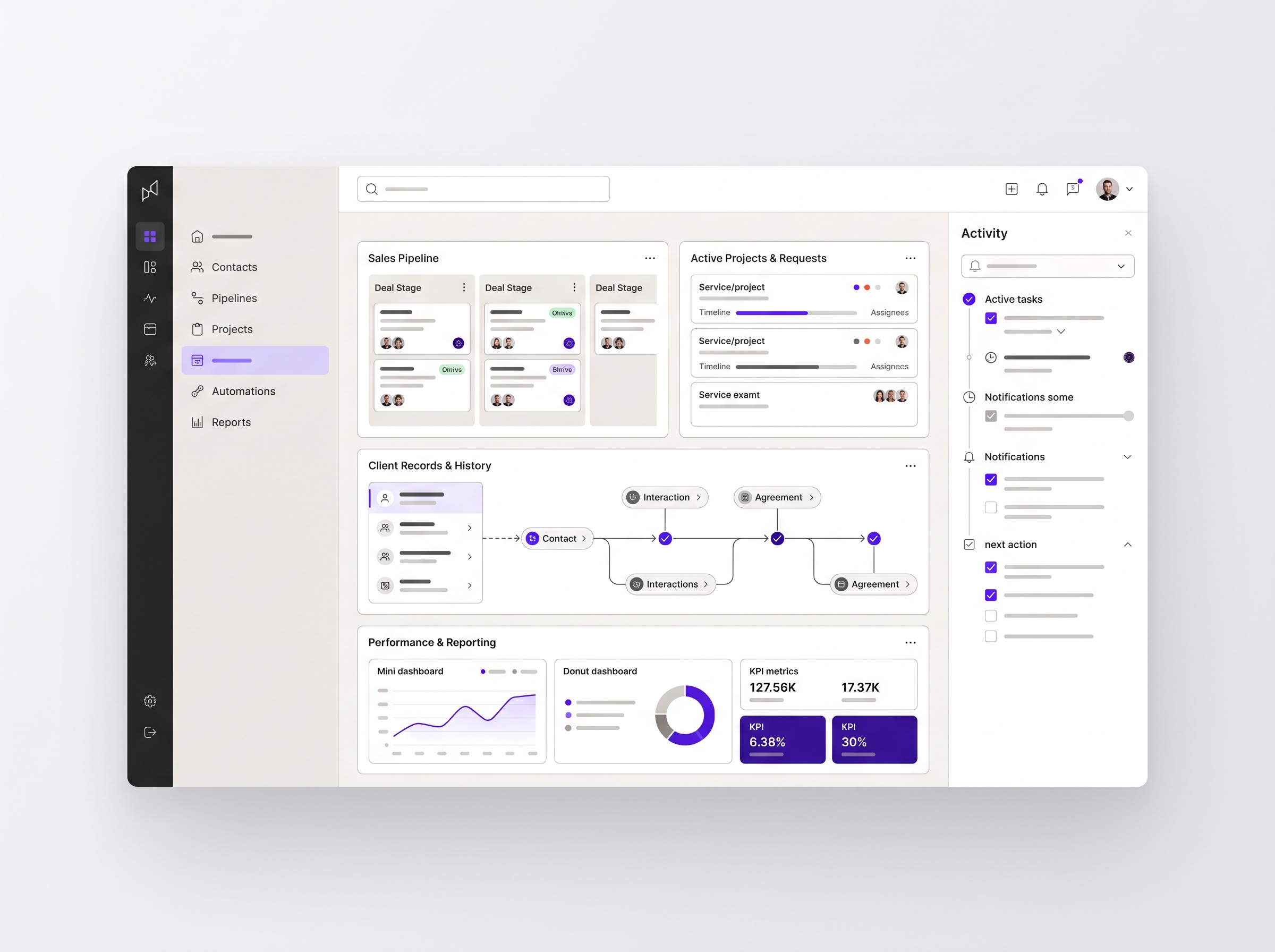
Phenom Leads gives sales, service, delivery, and finance the same client context, so your team can move faster without rebuilding the story in each tool.
01
Qualify opportunities, keep next steps clear, and hand signed work into delivery.
02
Give each request an owner, SLA, priority, and the client context needed to resolve it.
03
Turn scope into milestones, tasks, time, and a delivery view clients can trust.
04
Keep people, systems, agreements, conversations, and work history in one dependable record.
05
Route work, trigger reminders, collect approvals, and keep handoffs moving without busywork.
06
Understand pipeline, capacity, service health, margin, and renewals from one operating picture.
A complete client picture
People, companies, opportunities, requests, projects, agreements, and activities are connected instead of scattered across separate tabs.
Open a client and see the relationship history, current work, commercial commitments, and next actions together. Give a teammate the answer without sending them on an archaeology project.
Flexible fields and views let each team work in the shape that fits them while keeping one shared source of truth.
Built for the whole team
See pipeline health, recurring work, utilization, margin, renewals, and risks before the weekly meeting.
Start from the client context, keep tasks moving, and capture the work that becomes the next invoice.
Prepare for client conversations with a current timeline, open commitments, and a clear next step.
Designed to adapt
Switch between pipeline, table, calendar, and delivery views without copying records.
Capture the details that make your process yours, from contract terms to service priority.
Keep notes, calls, emails, approvals, and decisions attached to the right relationship.
Turn live operational data into a view your team can use, not another report to maintain.
Common questions
Yes. Configure stages, fields, owners, statuses, and views around the way your business already works.
No. Sales is the starting point, but the value compounds when service, projects, client success, and finance work from the same records.
We are designing imports around the systems service businesses already use, with mapping and cleanup support available during onboarding.
A platform that follows the work
You do not need to change the whole business at once. Bring one part of the client lifecycle into focus, then connect the next piece when the team is ready.
01
Qualify opportunities, keep decisions moving, and carry the promise into delivery.
02
Bring contacts, conversations, agreements, and account history into one dependable record.
03
Make requests, projects, ownership, blockers, and client updates visible to the team.
04
Use delivery signals to improve renewals, capacity, margin, and the next conversation.
A practical operating model
Phenom Leads is designed around the questions teams ask during a normal week—not around a database full of fields nobody opens.
01
See the latest conversation, request, decision, or delivery event without searching several systems.
02
Give each action a person, a date, and enough context to move forward without another meeting.
03
Turn a status update into a useful next step for the client, the team, or the account owner.